
techdoc turns a folder of runbooks, incident reports, changes and notes into a team knowledge base with a dashboard.
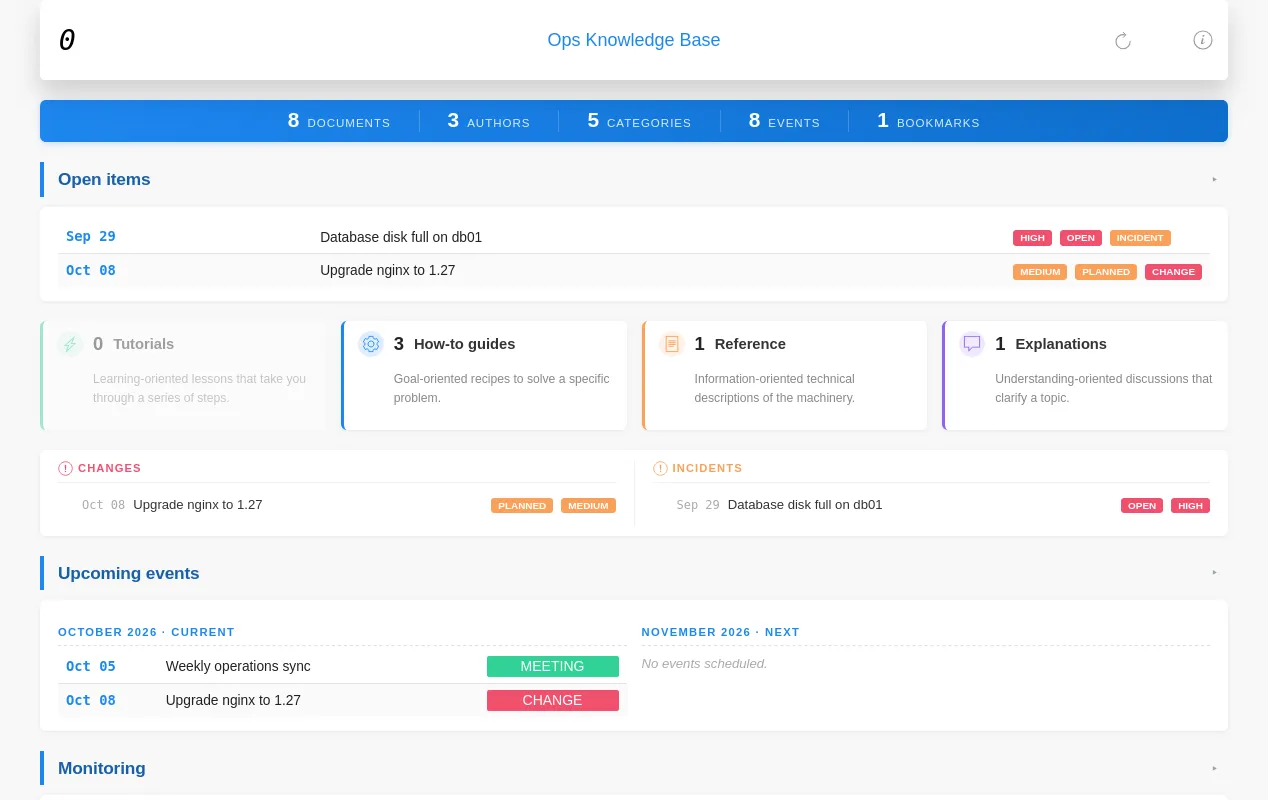
Properties it reacts to
| Property | Values | Effect |
|---|---|---|
Category |
Change, Incident, Meeting, Note, Post, Procedure, Report, Task |
Groups documents; dated documents of the categories in events appear in the calendar |
DocType |
Tutorial, How-to guide, Reference, Explanation |
Counted in the four cards of the dashboard |
Priority |
Critical, Very high, High, Medium, Normal, Low, Unknown |
Coloured label; open items are sorted by it |
Status |
Open: New, Open, Draft, Planned. Closed: Completed, Finished, Released, Successful. Faded: Deprecated, Obsolete |
Coloured label; open values put incidents, changes and tasks under Open items |
Topic + Periodicity |
Topic: Monitoring with Periodicity: Daily, Weekly, ... |
Listed in the Monitoring panel by periodicity |
Bookmark |
Yes |
Listed on the Bookmarks page |
Date |
any date | Sorting, calendar, upcoming and recent events |
Any other property gets its own pages, as in every theme.
Dashboard
The home page shows, from top to bottom:
- Counts of documents, authors, categories, events and bookmarks.
- Open items: incidents, changes and tasks with an open status, highest priority first.
- The four types of document, with counts.
- The latest changes and incidents.
- Upcoming events for this month and the next, and recent events from the last month.
- Monitoring: recurring checks grouped by periodicity.
Document pages
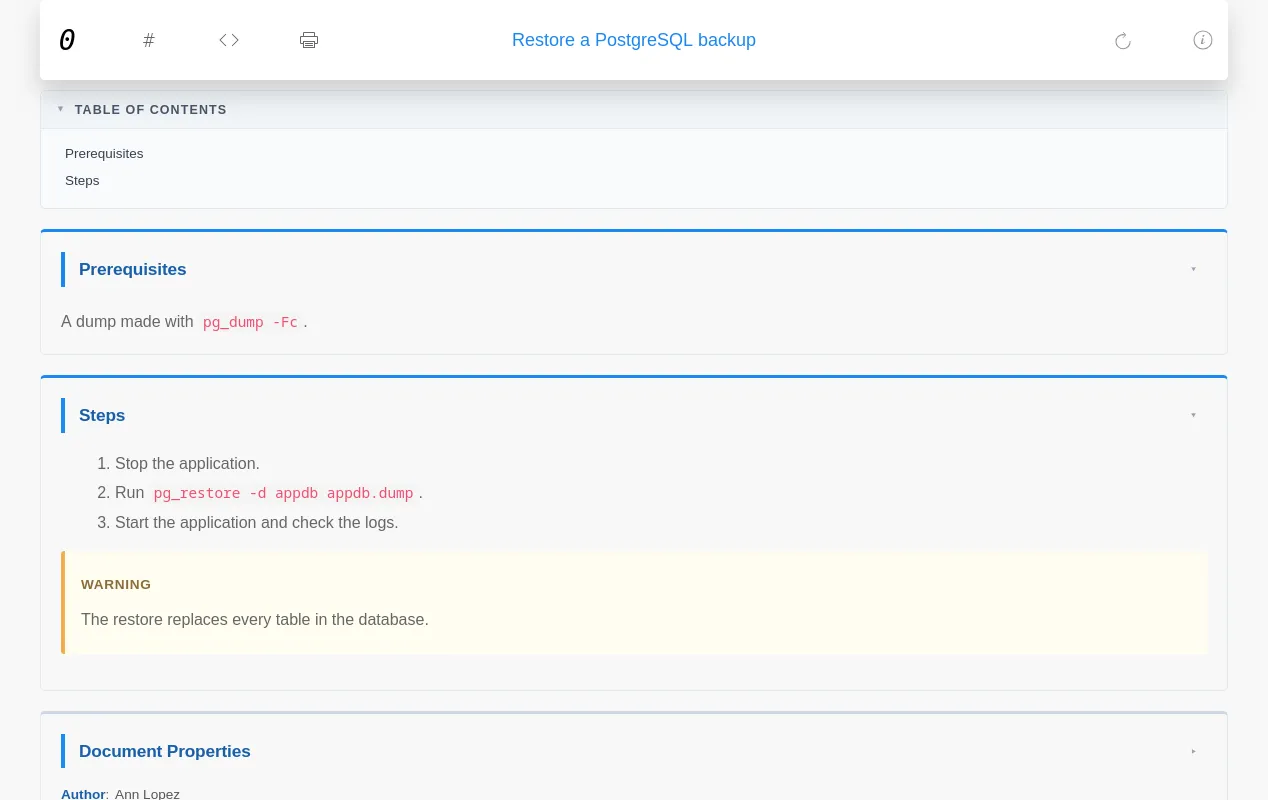
Each document gets a table of contents, sections that fold when you click their title, its properties at the end, and buttons to show the Markdown source and to print. With "git": true, an edit button opens the file in your git server.
Other pages
| Page | Shows |
|---|---|
all.html |
Every document in a sortable, searchable table |
events.html |
A calendar per year and a table of events |
properties.html |
Every property and its values |
stats.html |
Counts and a word cloud of the values |
bookmarks.html |
Documents with Bookmark: Yes |
add.html |
A form that fills a ready-made skeleton per category, to copy into a new file |
help.html |
A short guide to writing documents |
Settings
Keys in repo.json that techdoc reads, on top of the common ones:
| Key | Default | Meaning |
|---|---|---|
datatable |
["Date", "Title"] |
Columns of the document tables |
events |
[] |
Categories that count as events |
admin |
false |
Builds the backup page, see below |
git, git_server, git_user, git_repo, git_branch, git_path |
Edit links; git_server is a full URL such as https://github.com |
The default app sets datatable to Date, Title, Category, Priority, Status, Scope and Topic, and lists every category in events.
Backups page
With "admin": true, every build writes target/admin/index.html with two downloads:
| File | Holds |
|---|---|
<title>_sources.zip |
Every .md file of source/ |
<title>_site.zip |
The whole website, without the admin folder |
The zips are rebuilt only when something changed. The page is not linked from the menu, but anyone who knows the address can open it: on a public server, protect admin/ or leave this off.
Sample apps
| App | Starts you with |
|---|---|
default |
An empty knowledge base with the settings above |
sapbasis |
The same, prepared for SAP Basis documentation |