
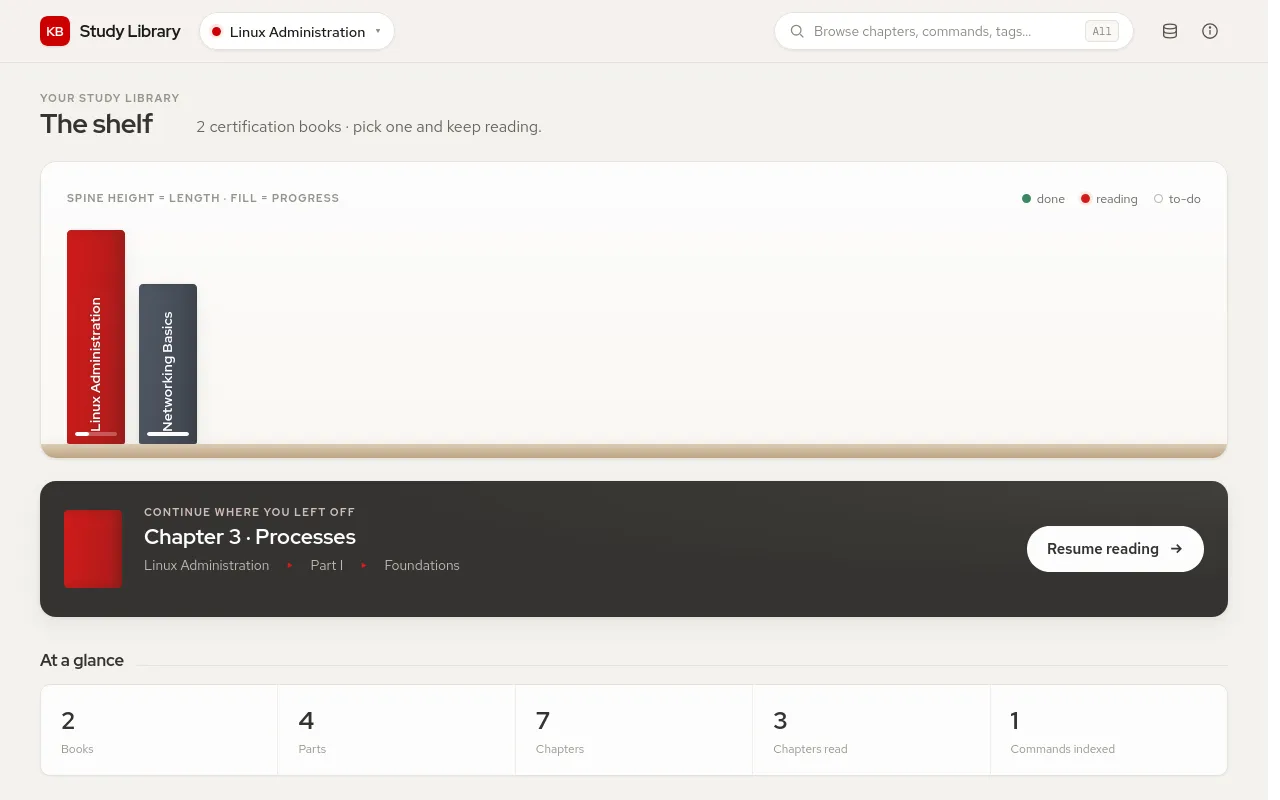
bookshelf arranges your notes as books on a shelf. Each document is a chapter; the theme tracks what you have read and takes you back to where you stopped.
Write a chapter
---
Book: Linux Administration
Part: II
PartTitle: Administration
Chapter: 5
Status: Reading
Command: lvcreate, vgextend
---

# Storage and LVM
| Property | Meaning |
|---|---|
Book |
The book the chapter belongs to; chapters without one go to Unfiled |
Part |
Part number, in Roman (II) or Arabic (2) numerals |
PartTitle |
Name of the part, shown in the book overview |
Chapter |
Chapter number; 5 and Chapter 5 both work |
Status |
Reading progress, see below |
Command |
Commands the chapter teaches; they get their own pages |
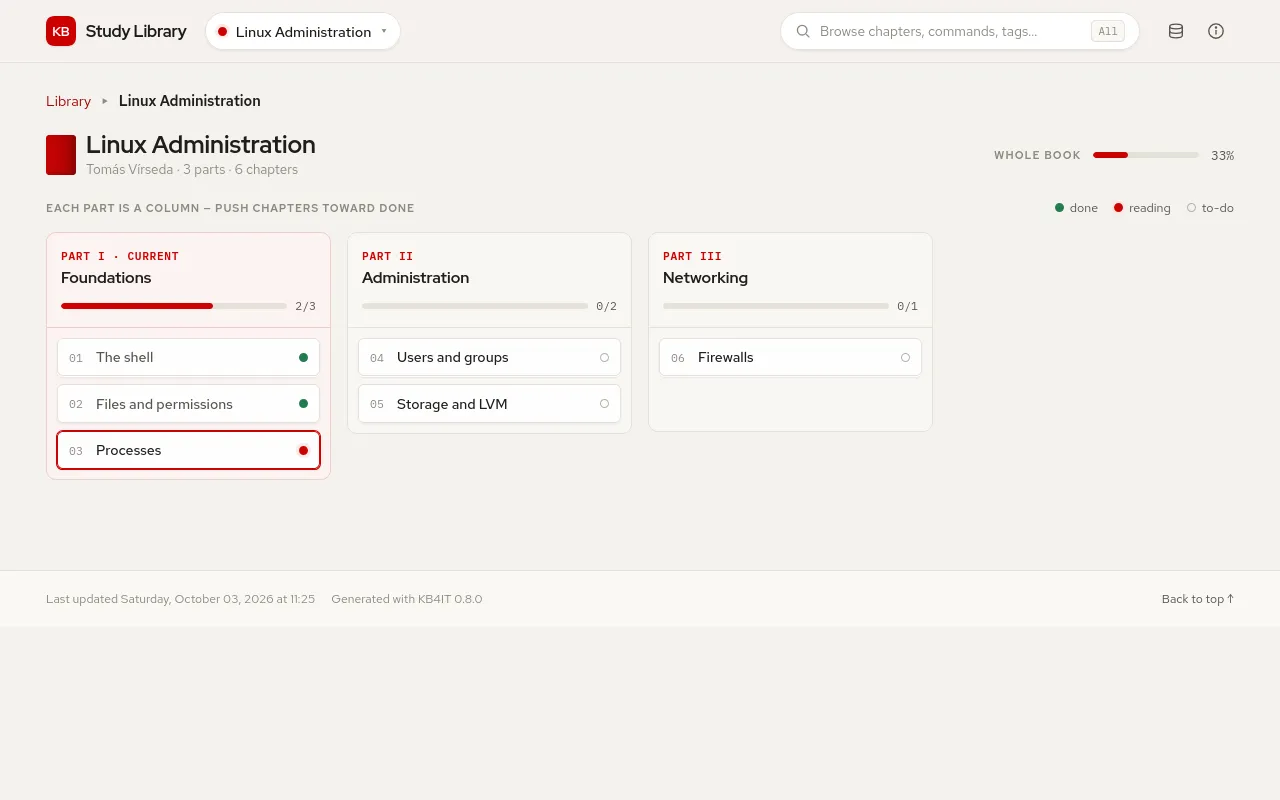
Chapters are ordered by part, then by chapter number.
Reading progress
Status |
Counts as |
|---|---|
Done, Completed, Complete, Published, Closed, Final |
done |
Reading, In progress, Review, WIP, Ongoing |
reading |
| anything else, or none | to do |
Case does not matter. The shelf shows the progress of each book, and Continue where you left off opens the first chapter marked as reading; without one, the latest chapter that is not done.
Pages
| Page | Shows |
|---|---|
index.html |
The shelf, the chapter to continue and totals; your own index.md replaces it |
Book_<name>.html |
The book overview: one column per part, one card per chapter |
| Chapter pages | Navigation through the part, previous and next chapter, commands and tags |
all.html, bookmarks.html, properties.html, stats.html |
As in the other themes |
Settings
| Key | Default | Meaning |
|---|---|---|
datatable |
["Date", "Title", "Chapter"] |
Columns of the document tables |
git, git_server, git_user, git_repo, git_branch, git_path |
Edit links; git_server is a full URL such as https://github.com |
See also the common settings.