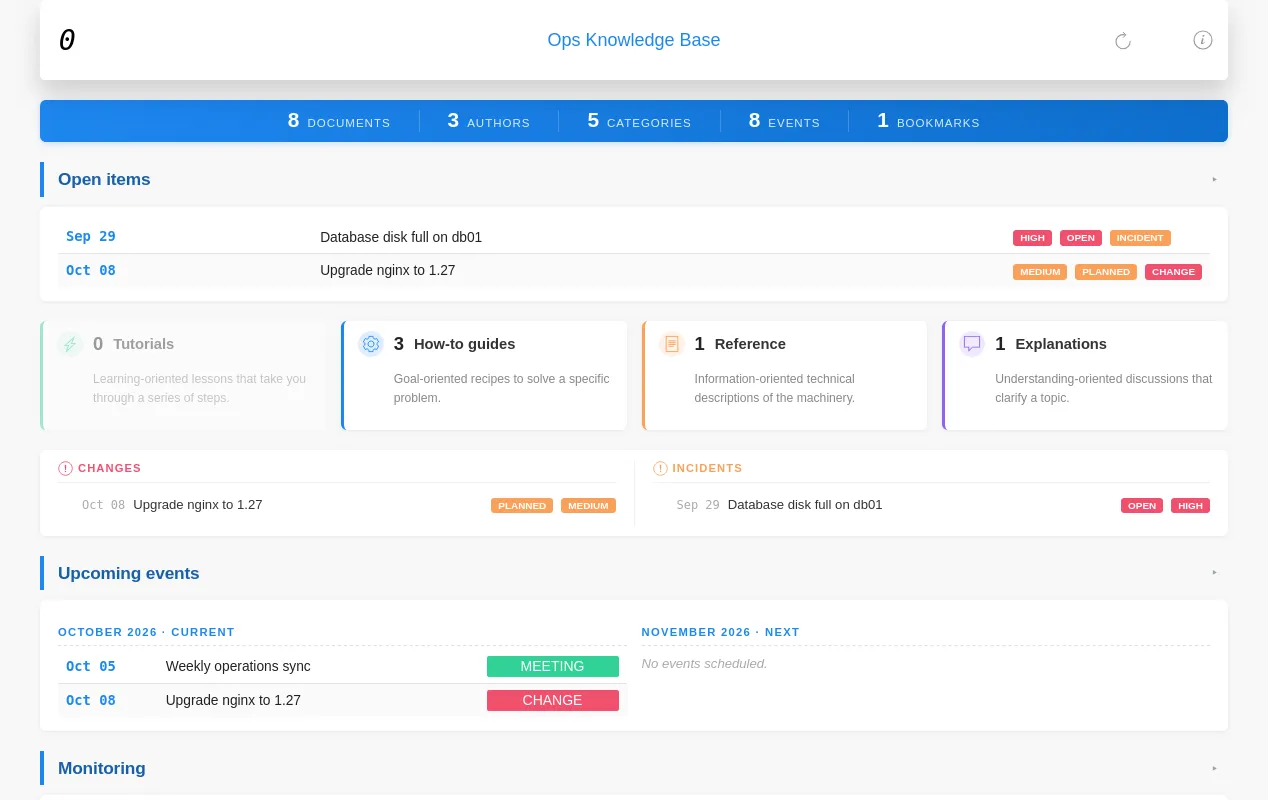
Write plain Markdown files. KB4IT turns them into a fast, static website you can browse by author, category, tag or any other property you use.
New here? Get started with KB4IT takes ten minutes, from installing it to your first website.
What do you want to do?
Start
- Build your first website
Install, create, write, build, open. - Install or upgrade KB4IT
With uv, pipx, pip or from source. - How KB4IT works
Files in, website out, and why it is fast.
Write
- Write a document
Properties, title, sections, links, notes and images. - How properties become navigation
Every property you use gets its own pages. - Document format
The exact rules a document must follow.
Build and publish
- Build and rebuild a website
Fast rebuilds, full rebuilds and checks. - Use the terminal interface
Manage, build and browse projects from one screen. - Publish on GitHub Pages
Build and publish on every push. - Publish on any web server
Copy one folder; no server software needed.
Choose a look
Look something up
- Command line
Every command and option. - Repository settings
Every key ofrepo.json. - Troubleshooting, questions and tips
When something does not look right.
Develop KB4IT
- How KB4IT is built
Services, build stages and the cache. - Run and test from source
Clone, test and check the themes. - Release a version and write these pages
For maintainers.
Browse every page by feature in Topics, or use the search box at the top.
What you get
The same Markdown files, built with the techdoc theme: